Official Skills
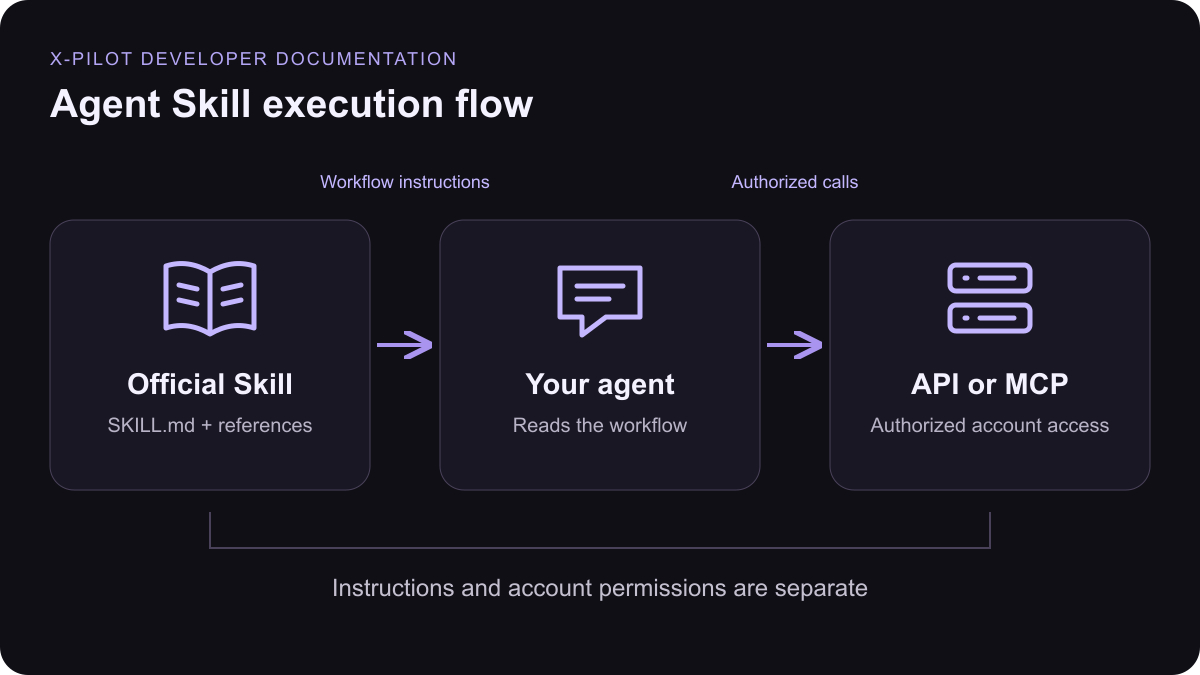
The published packages keep the canonical Skill Markdown and all relative references together. Installing a Skill provides instructions; account access comes from MCP or an API key.Course & explainer video
Create or revise educational and explainer videos with X Pilot, including the brief, style and duration choice, source uploads, optional outline review, asynchronous polling, preview handoff and MP4 export. Use when the user wants an X Pilot course, training, product or explainer video.
Voices & audio
Find and preview X Pilot voices, produce spoken MP3 audio, and clone voices (Voice I instantly, or Voice II with the speaker’s recorded consent) when the user requests narration, voiceover, text-to-speech, or a voice clone using X Pilot.
Digital human avatars
Find, create and inspect X Pilot digital humans from uploaded images or training videos, and synthesize talking-presenter videos with them from text or audio, when the user asks for an X Pilot presenter or avatar video.
Install in your agent
- Download a Skill ZIP and review its
SKILL.mdand references. - Extract the complete named folder into your client’s Skills directory.
- Keep
references/besideSKILL.md, then restart the agent or refresh Skills.
Connect your account
Connect with MCP or create a scoped API key. Check credits and capacity before paid work. Return service-provided progress and output URLs; preview completion is separate from MP4 readiness.