> ## Documentation Index
> Fetch the complete documentation index at: https://developers.x-pilot.ai/llms.txt
> Use this file to discover all available pages before exploring further.
# Agent Skills
> Install official X-Pilot Skills for course videos, narration and digital human avatars, with complete workflow and API references.
export const XpilotArticleMetadata = () => ;
export const XpilotBreadcrumb = () => ;
## Official Skills
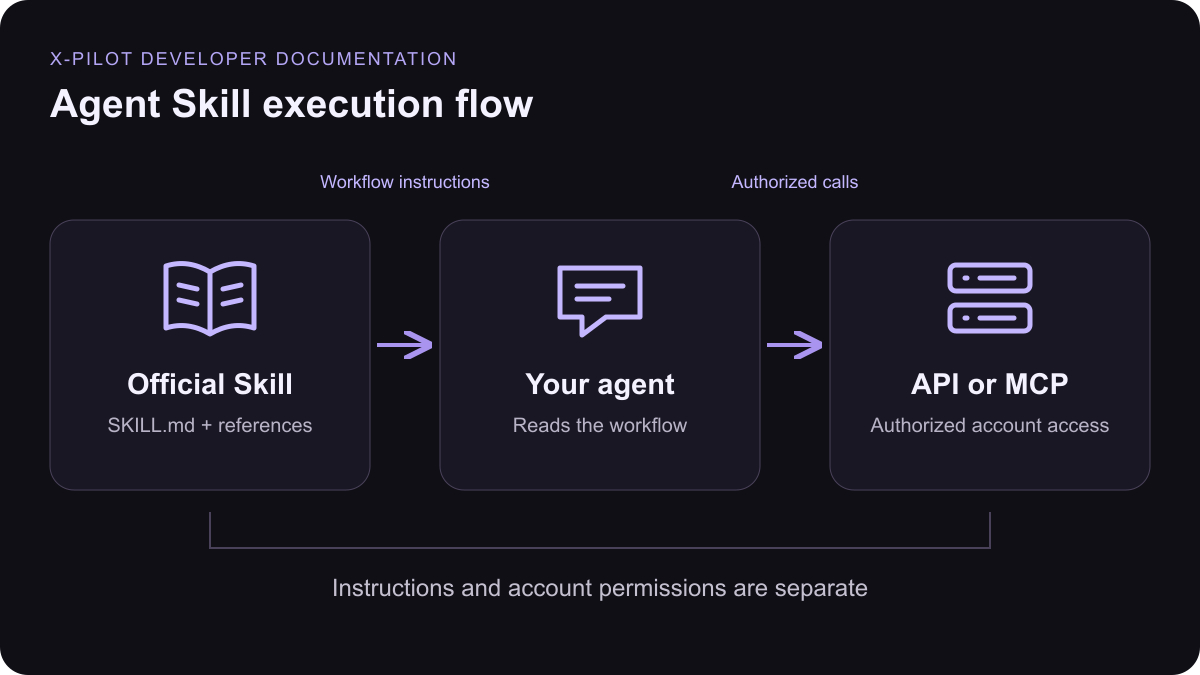
The published packages keep the canonical Skill Markdown and all relative references together. Installing a Skill provides instructions; account access comes from MCP or an API key.
Create or revise educational and explainer videos with X Pilot, including the brief, style and duration choice, source uploads, optional outline review, asynchronous polling, preview handoff and MP4 export. Use when the user wants an X Pilot course, training, product or explainer video.Find and preview X Pilot voices, produce spoken MP3 audio, and clone voices (Voice I instantly, or Voice II with the speaker's recorded consent) when the user requests narration, voiceover, text-to-speech, or a voice clone using X Pilot.Find, create and inspect X Pilot digital humans from uploaded images or training videos, and synthesize talking-presenter videos with them from text or audio, when the user asks for an X Pilot presenter or avatar video.
## Install in your agent
1. Download a Skill ZIP and review its `SKILL.md` and references.
2. Extract the complete named folder into your client's Skills directory.
3. Keep `references/` beside `SKILL.md`, then restart the agent or refresh Skills.
| Client | Project directory |
| - | - |
| Cursor | `.cursor/skills//SKILL.md` |
| Claude Code | `.claude/skills//SKILL.md` |
| Codex | `.agents/skills//SKILL.md` |
## Connect your account
[Connect with MCP](/mcp-integration) or [create a scoped API key](https://app.x-pilot.ai/developers/console). Check credits and capacity before paid work. Return service-provided progress and output URLs; preview completion is separate from MP4 readiness.
export const XpilotDocFigure = () => Skills provide instructions and references. Account authorization comes separately from MCP or an API key.;
This documentation is built and hosted on [Mintlify](https://mintlify.com), a developer documentation platform.